



Control One = Control All
Object mode in one-to-many synchronization, send query of the node (or UI object) to all devices instead of coordination, click "OK" can run on all devices with different resolutions than click(100,100).
AAI Script (AAIS) is very small script built on top of AAI's FindNode, it has a very simple syntax and with a dozen of commands, it is useful to write simple tests or throw away scripts.
UI Explorer to obtain node information and helper program to construct query, great to learn query language learning.
MDCC (Multi-Device Control Center) synchronizes screen operations or scripts across multiple devices. Total Control Lite supports WDM (Windows Desktop Mode), while the Professional version supports both WDM and MDCC.
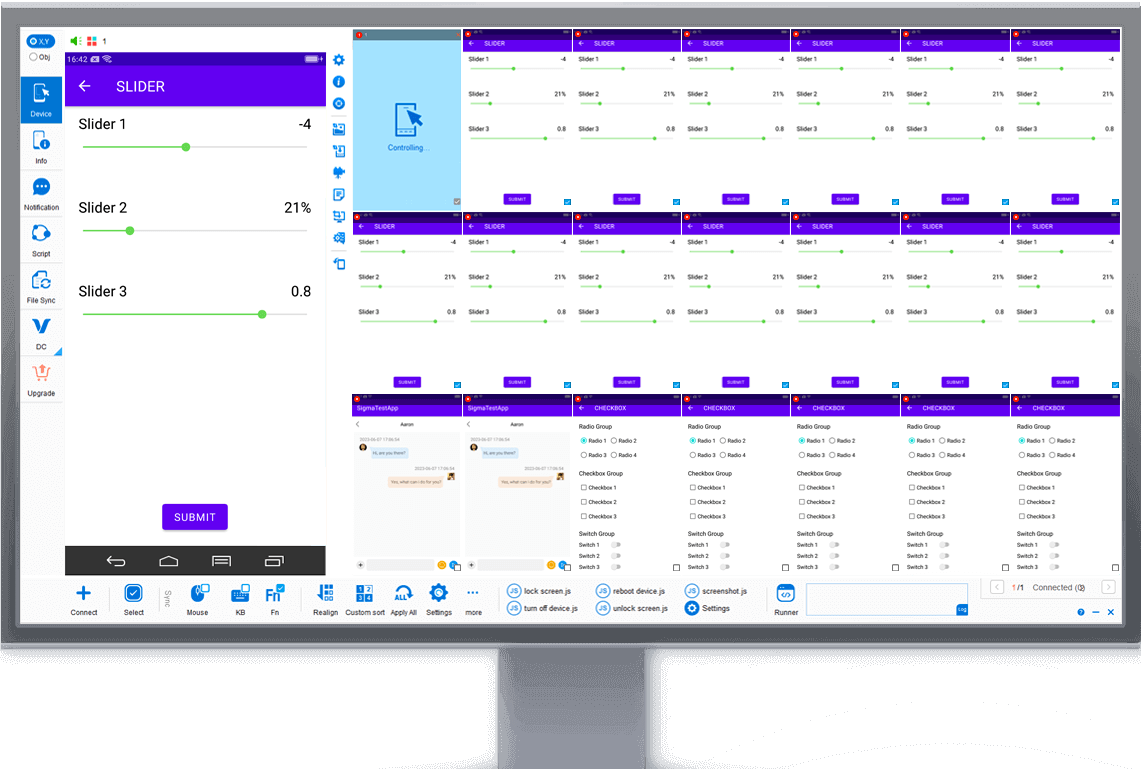
WDM (Windows Desktop Mode) displays each device in an independent desktop window, ideal for controlling a small number of devices.Total Control Lite supports WDM, while the Professional version supports both WDM and MDCC.
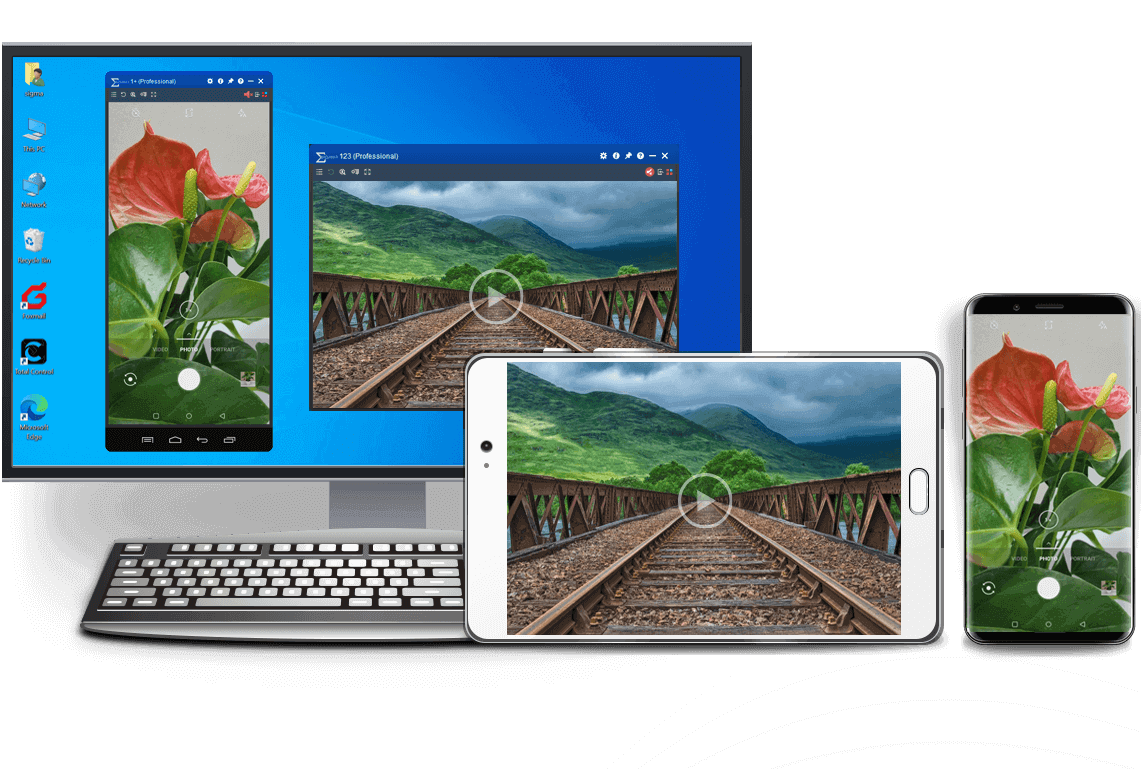
Mirror and control Android devices from another Android device using Device Control, with support for multiple devices.
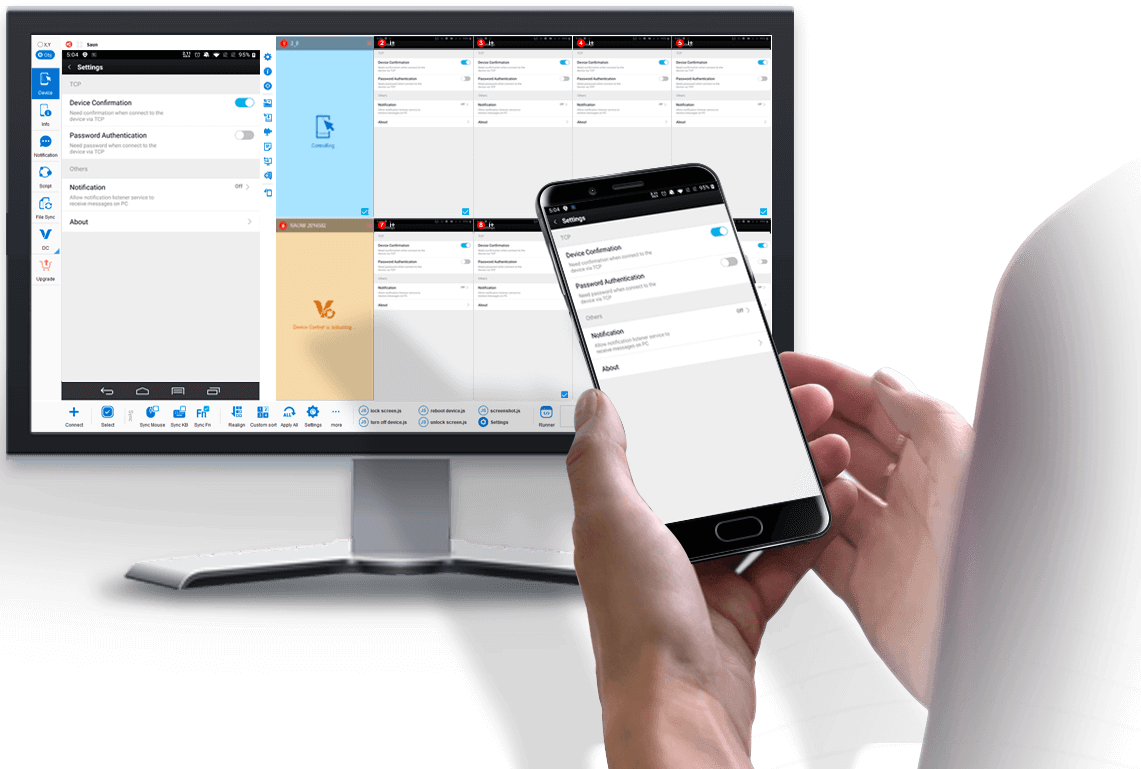
Select Obj mode to easily sync Android devices with dfferent screen resolutions and brands (resolution independent).
Example: Sync buttons in different locations.

Support FindNode, REST API & JavaScript API
Integrate object-based action to existing API & seamless integration with FindNode.


device.sendAai({query:"T:Android version&&OY:1", action: "getText"})devices.sendAai({ actions:["scrollIntoView('T:Pointer location||OX:1','down')","click"]})http://localhost:8090/TotalControl/v2/devices/ids/aai/sendaai?
{
"token": "270eq7lXQK8bXYsJ",
"state": "active",
"ids": ["device@795844152","device@795812215"],
"query":"T:Pointer location||OX:1",
"postAction":"click",
"preAction":"scrollToView"
}Total Control allows users to control Android devices from a PC with low latency and high stability. It supports controlling multiple Android devices simultaneously, making it ideal for Android testing, automation, demonstrations, and device farm environments.

Controlling Android devices from a PC is essential for developers, testers, and businesses that need to operate multiple devices efficiently. With Total Control, users can mirror and control Android devices directly from a Windows computer using a keyboard and mouse.

The software supports multi-device synchronization, allowing users to control multiple Android devices simultaneously from a single PC. This makes it ideal for Android automation, device testing, demonstrations, and large-scale device environments such as Android device farms.

Compared with traditional screen mirroring tools, Total Control focuses on low latency, stability, and large-scale device control. Users can easily deploy dozens of devices, synchronize actions, and automate repetitive operations using scripts and APIs.
The Network Update System, universally abbreviated as NUS, is the backend server infrastructure designed by Nintendo. It was originally introduced during the Wii era and subsequently upgraded to support the Wii U and the Nintendo 3DS family of systems.
The technical structure of files stored on the Wii U NUS is distinct from standard computing files. When data is pulled from the NUS, it comes in proprietary containers that serve as the "DNA" of the console:
To fully grasp the "NUS" concept, it's helpful to understand its file structure. Games and applications on Nintendo's servers are broken down into . A title is further subdivided into tickets and title metadata (TMD) . When you download a title from the NUS, you are retrieving all these individual components, which are often encrypted for security.
: The digital encrypted authorization key confirming ownership. Without a proper ticket, a retail game container cannot be decrypted or launched by standard hardware. Navigating the Post-eShop Era
Yes. While you can no longer buy games, the underlying NUS architecture remains partially active. Nintendo still allows users to redownload previously purchased software, fetch game updates, and download system firmware updates. wii u nus
However, because the infrastructure is entering its legacy phase, the preservation community has worked tirelessly to archive everything on the NUS. Using public Title ID databases, archivists have mapped out the entire digital catalog of the Wii U to ensure that digital-only indie games, obscure Virtual Console patches, and regional variants are not lost to time when Nintendo eventually pulls the plug on the servers completely. The Legacy of Wii U NUS
Only use NUS tools to download games you have purchased physically or digitally. The tools cannot check this for you; it is an honor system.
Understanding how the Wii U NUS works, its specific data architecture, and how the community interacts with it is essential for anyone looking into Wii U preservation and emulation. What is the Nintendo Update Server (NUS)?
: Cryptographic hash tables used by the console to verify file integrity and prevent data corruption. The Network Update System, universally abbreviated as NUS,
The term "Wii U NUS" encapsulates a surprisingly wide range of concepts. It is simultaneously a piece of official Nintendo infrastructure, a specific file format, a set of technical protocols, and a movement within the homebrew community. Whether you are a user looking to preserve your game library, a homebrew enthusiast installing custom software, or a developer exploring the system's architecture, understanding the NUS is essential. The future of Nintendo's update servers may be in doubt, but the technology and community that built around the "Wii U NUS" will continue to play a vital role in the console's ecosystem for years to come.
To be properly readable and installable by a console, these folders also contain title.tmd (Title Metadata), title.cert (Certificates), and title.tik (the Ticket containing the encryption key).
Because the Wii U eShop has been discontinued, the NUS has become a primary focus for the digital preservation community. Tools like NUS-downloader were developed to interact with these servers directly. Decryption and Emulation: For software like the Cemu emulator
This architecture created a scenario where the games were "out in the open," yet locked away behind a cryptographic wall. When data is pulled from the NUS, it
Understanding the Wii U NUS is essential for anyone interested in console preservation, homebrew development, or the mechanics of digital rights management (DRM). This comprehensive guide explores what the Wii U NUS is, how it functions, its historical impact, and how the community interacts with it today. What is the Wii U NUS?
Wii U NUS endpoints follow a predictable pattern:
V10lator/NUSspli: NUS simple packet loader/installer - GitHub
Here are practical examples of how to use these tools for common tasks.
: Contains the required OS version and SHA-1 hashes of the title's contents. title.cert
Controlling Android from a PC is simple with Total Control.
After installing the software on your computer, connect your Android device via USB and enable USB debugging.
Once connected, you can view and control your Android screen directly from your PC using a keyboard and mouse.
The Lite version supports 1–2 devices and is free for non-commercial use.
To control multiple Android devices simultaneously, upgrade to the Professional version for advanced features and large-scale device management.
Total Control supports Windows 7 to Windows 11 (32-bit and 64-bit).
It is compatible with Android 6.x to Android 16 devices from all major brands and manufacturers.
Yes. Total Control allows you to control Android devices from a PC without rooting the device. Simply enable USB debugging and connect via USB to start controlling the device securely.
Yes. The Professional version supports controlling multiple Android devices simultaneously, making it ideal for developers, testers, and enterprise device management.
The best way is to use a professional Android control tool that provides low latency, stable connections, and full keyboard and mouse support. Total Control is designed for commercial and multi-device environments.
Yes. When using a secure local USB connection, data transmission remains stable and protected. Total Control is built for enterprise-level reliability and security.

























